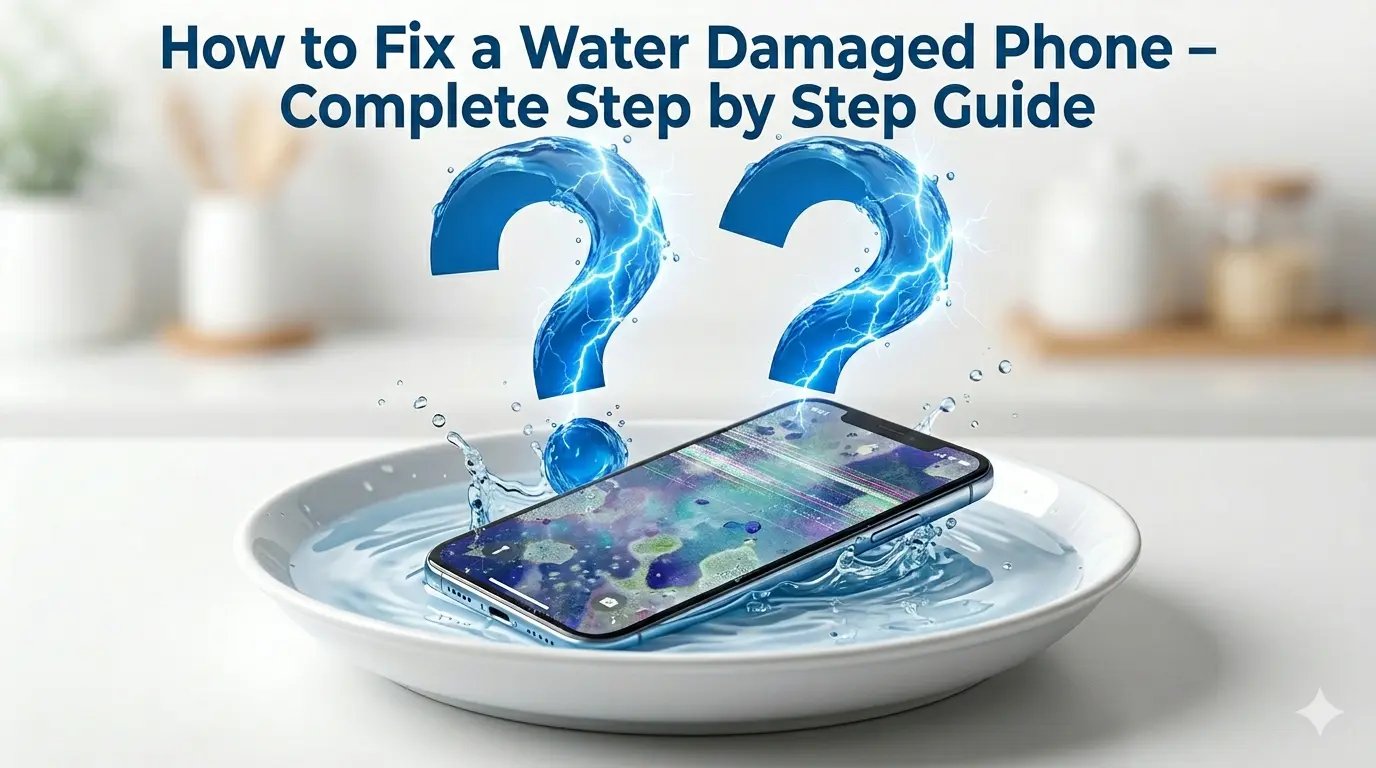
A smartphone with a water-damaged screen rests in a bowl of water, with large blue water-effect question marks featuring lightning bolt patterns floating above it, symbolizing uncertainty and potential damage.

How to Fix a Water Damaged Phone – Complete Step by Step Guide

It happens in a split second. Your phone slips and lands in water. Your heart stops. You panic.
Water damage is one of the most feared phone accidents in the world. But here is the truth — most water damaged phones can be saved. The only thing that decides success or failure is how fast you act and what you do in the first few minutes.


This guide covers everything. What to do, what never to do, how to fix your speaker, and when to call a professional.
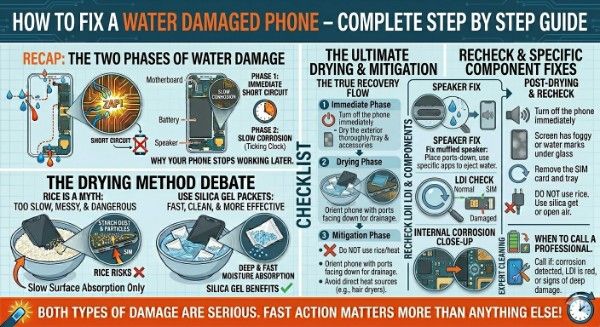
A comprehensive master infographic summarizing the diagnostic and recovery process for a water-damaged smartphone. The image is divided into four main quadrants with a prominent header and footer.Top-Left (Recap): Explains the two phases of water damage—Phase 1: Immediate Short Circuit (with a "ZAP!" graphic) and Phase 2: Slow Corrosion (with a clock icon and a diagram of the motherboard and battery).Bottom-Left (Drying Debate): Compares a bowl of rice (labeled "A Myth: Too Slow & Dangerous") with a bowl of silica gel packets (labeled "Fast, Clean, & More Effective").Middle Section (The True Recovery Flow): A vertical checklist outlining three phases:Immediate Phase: Turning off the phone and drying the exterior.Drying Phase: Using silica gel with ports facing down.Mitigation Phase: Avoiding rice and direct heat.Right Section (Specific Fixes): Detailed icons for a "Speaker Fix" (using specific sounds to eject water), an LDI (Liquid Damage Indicator) check showing white vs. pink stickers, and an internal corrosion close-up.Bottom-Right: A "When to Call a Professional" box featuring a wrench icon.The footer is a bright orange banner that reads: "BOTH TYPES OF DAMAGE ARE SERIOUS. FAST ACTION MATTERS MORE THAN ANYTHING ELSE!"

Can a Water Damaged Phone Be Fixed at Home?

Yes — in most cases. A water damaged phone is not automatically a dead phone. The key factor is speed. Every minute water stays inside your phone, it reaches more components and causes more damage.

Acting within the first 30 minutes gives your phone the best chance of full recovery. Waiting hours before doing anything dramatically reduces those chances.
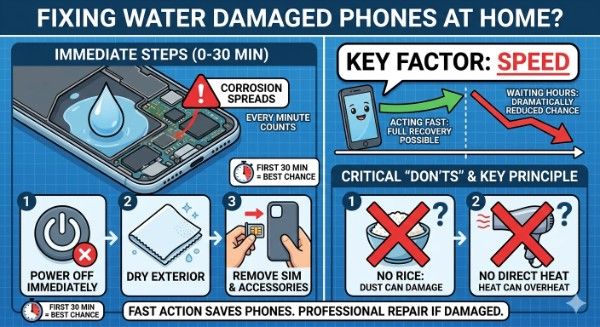
A detailed infographic titled "FIXING WATER DAMAGED PHONES AT HOME?" It is divided into several sections.The top left panel, "IMMEDIATE STEPS (0-30 MIN)", features a cross-section of a phone showing a large water droplet inside, with a red exclamation point icon labeled "CORROSION SPREADS". A text box next to it states "EVERY MINUTE COUNTS". Below this illustration are three numbered, sequential icons:POWER OFF IMMEDIATELY: An icon of a power button with a red 'X'.DRY EXTERIOR: An icon showing a clean, lint-free cloth.REMOVE SIM & ACCESSORIES: An icon of hands removing a SIM tray and a phone case.
A small clock icon beneath these steps repeats the text: "FIRST 30 MIN = BEST CHANCE".The top right panel, "KEY FACTOR: SPEED", shows a timeline. A friendly, healthy phone icon is on the left, with a green arrow labeled "ACTING FAST: FULL RECOVERY POSSIBLE". As time passes, the arrow turns into a red, declining arrow pointing to a question mark, with the text "WAITING HOURS: DRAMATICALLY REDUCED CHANCE".The bottom right panel, "CRITICAL 'DON'TS' & KEY PRINCIPLE", features two large icons with red 'X' marks:NO RICE: DUST CAN DAMAGE: An icon of a question mark over a bowl of rice.NO DIRECT HEAT: An icon of a question mark over a hairdryer.A banner at the very bottom center concludes with the summary: "FAST ACTION SAVES PHONES. PROFESSIONAL REPAIR IF DAMAGED." The overall background is a clean blue grid pattern. Text within each icon is minimal and serves as an illustrative label. The style is modern and clean.


What Happens Inside Your Phone When It Gets Wet?

Water causes two types of damage inside your phone.

  • The first is immediate. Water reaches live circuits and causes a short circuit. This can kill your phone within seconds of getting wet.
  • The second is slow. Trapped moisture corrodes internal metal parts like the motherboard, battery contacts, and voice coil over hours or days. This is why some phones seem fine at first but stop working a day later.

Both are serious. That is why fast action matters more than anything else.
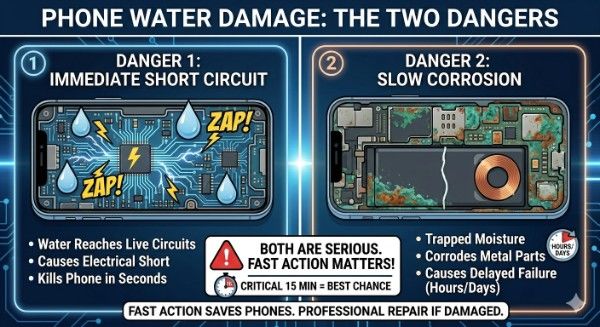

An educational infographic titled "PHONE WATER DAMAGE: THE TWO DANGERS". The image is divided into two main panels, with brief, illustrative text. The left panel, labeled "1", is titled "DANGER 1: IMMEDIATE SHORT CIRCUIT". It features a cross-section diagram of a phone's internal circuits with water droplets touching them, causing prominent yellow "ZAP!" and electrical arc graphics. Below the diagram, a short list describes: "Water Reaches Live Circuits", "Causes Electrical Short", and "Kills Phone in Seconds". The right panel, labeled "2", is titled "DANGER 2: SLOW CORROSION". It shows a detailed cross-section of internal metal components, such as a speaker coil and battery contacts, covered in extensive textured green and brown oxidation and degradation. A small clock icon reinforces the delayed nature. Below the diagram, a short list describes: "Trapped Moisture", "Corrodes Metal Parts", and "Causes Delayed Failure (Hours/Days)". A central banner at the bottom summarizes the core message: "BOTH ARE SERIOUS. FAST ACTION MATTERS!". It has a large "CRITICAL 15 MIN = BEST CHANCE" text and icon. The entire infographic is set against a dark blue background with glowing light lines, giving it a technical feel. All fonts are clean and clear, and there are no massive paragraphs of text. A final banner across the absolute bottom edge reiterates: "FAST ACTION SAVES PHONES. PROFESSIONAL REPAIR IF DAMAGED."

Signs of Water Damage on Phone

Not sure if your phone has water damage? Look for these warning signs:

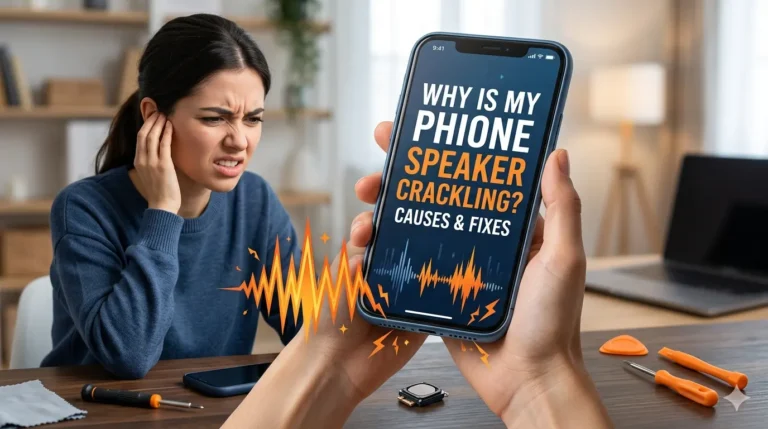
  • Speaker sounds muffled or produces crackling noise
  • Screen has foggy patches or water marks under the glass
  • Phone randomly shuts down or restarts
  • Charging port not working or charging slowly
  • Camera lens appears foggy from inside
  • Phone gets unusually hot
  • Touchscreen unresponsive in certain areas

Most phones also have a Liquid Damage Indicator — a small white sticker near the SIM tray that turns pink or red when it contacts water. Check yours to confirm water damage.
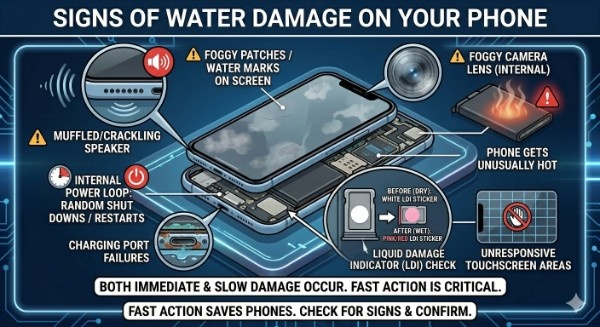
A detailed educational infographic titled "SIGNS OF WATER DAMAGE ON YOUR PHONE" presented as an exploded-view diagram against a dark blue grid background with glowing circuit patterns. The infographic uses numbered points with clear icons to illustrate various symptoms of water damage: MUFFLED/CRACKLING SPEAKER: An icon of a speaker with distorted sound waves and a red 'ERROR' label. FOGGY PATCHES / WATER MARKS ON SCREEN: A visual of a phone screen displaying internal foggy areas and water splotches. INTERNAL POWER LOOP: RANDOM SHUT DOWNS / RESTARTS: Icons for power and looping arrows next to a text label. CHARGING PORT FAILURES: A visual of a corroded charging port with a red 'X'. FOGGY CAMERA LENS (INTERNAL): A magnified close-up of a front-facing camera lens with condensation inside. PHONE GETS UNUSUALLY HOT: An icon of a thermometer with high heat next to a battery icon with a 'WARNING' label. UNRESPONSIVE TOUCHSCREEN AREAS: A hand attempting a swipe on a phone screen, with certain grid sections marked in red and showing a 'NO TOUCH' symbol. A large, prominent circular magnified inset is dedicated to the LIQUID DAMAGE INDICATOR (LDI) CHECK, illustrating the SIM tray area. It features two examples: "BEFORE (DRY): WHITE LDI STICKER" showing a clean white sticker, and "AFTER (WET): PINK/RED LDI STICKER" showing the same sticker turned pink. Arrows indicate this location on the main phone diagram. A summary banner at the bottom states: "BOTH IMMEDIATE & SLOW DAMAGE OCCUR. FAST ACTION IS CRITICAL."

How to Fix a Water Damaged Phone – Step by Step

Remove It from Water Immediately:

Every second your phone stays in water increases the damage. Get it out as fast as possible. Do not waste time thinking — act first.

Turn It Off Right Away:

If your phone is still on, power it off immediately. Do not press unnecessary buttons. Electricity and water together cause short circuits that permanently destroy internal components. This step alone can save your phone.

Remove Case, SIM Card and SD Card:

Take your phone case off immediately. Open the SIM card tray and remove it. Take out the SD card if your phone has one. This allows air to flow inside and stops moisture from being trapped.

Dry the Outside Gently:

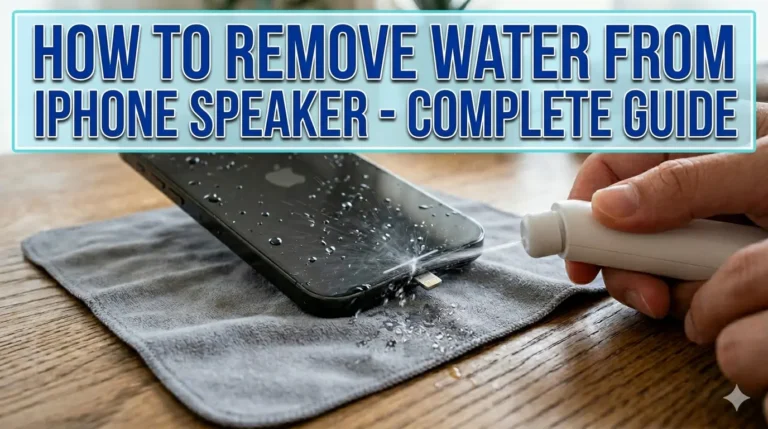
Use a soft dry cloth to gently pat the outside of your phone. Do not rub — rubbing pushes water deeper inside. Just dab and absorb surface moisture.

Fix Your Water Damaged Phone Speaker First:

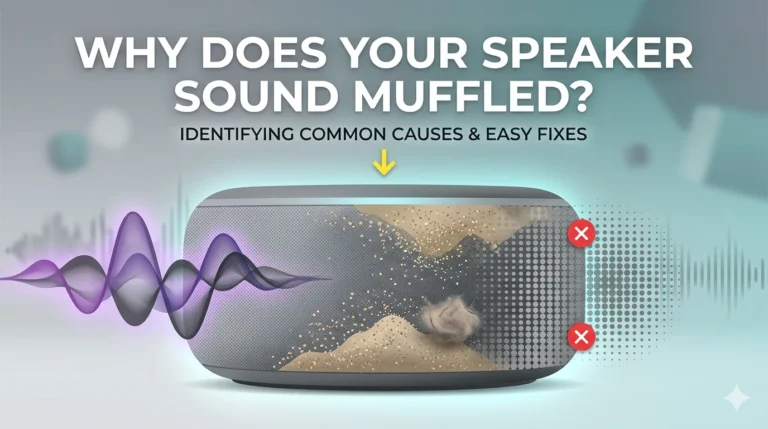
The speaker is almost always the first part affected by water damage. Water gets trapped in the speaker mesh and blocks sound waves. You will notice muffled sound, crackling, or complete silence.

Use Fix My Speaker (fixmyspeakercleaner.net) — a free 165Hz sound frequency tool that pushes water out of your speaker mesh in minutes. This is the same technology used in Apple Watch water ejection mode. No download needed, completely free.

Point your phone speaker downward and run the tool 2-3 times at maximum volume. You will hear and see water being ejected.

Use Silica Gel — Not Rice:

Place your phone in a sealed zip-lock bag with silica gel packets. These are the small packets you find in shoe boxes and electronics packaging. Leave your phone in the bag for 24-48 hours without turning it on.

Silica gel is far more effective than rice for drying a wet phone. Do not use rice — we explain exactly why below.

Wait 48 Hours Before Turning It On:

This is the hardest step. Do not turn your phone on for at least 48 hours. Turning it on too early with moisture still inside is the most common reason water damaged phones die permanently.

48 hours of patience is better than a permanently broken phone.

Test All Functions:

After 48 hours turn your phone on and check everything:

  • Does the screen respond normally?
  • Does the speaker sound clear?
  • Does the microphone work during calls?
  • Is the charging port working?
  • Is the camera clear with no fog?

If everything works your phone is saved. If some things still don’t work, seek professional repair.

What NOT to Do After Water Damage?

These are the most common mistakes people make. Each one makes the damage significantly worse.

Do Not Use a Hair Dryer or Heat:

Heat pushes moisture deeper inside your phone and can melt internal adhesive and components. Never use a hair dryer, oven, microwave, or direct sunlight to dry a wet phone.

Do Not Charge It:

Plugging a wet phone into a charger is one of the fastest ways to destroy it permanently. Water plus electricity causes immediate short circuits. Wait until your phone is completely dry — at least 48 hours.

Do Not Shake the Phone:

Shaking spreads water to internal parts that were not reached yet. Keep your phone still and point speaker and ports downward so gravity helps drain the water out naturally.

Do Not Press Random Buttons:

Every button press sends electricity through your phone. With water inside this increases short circuit risk. Turn it off and leave it alone.

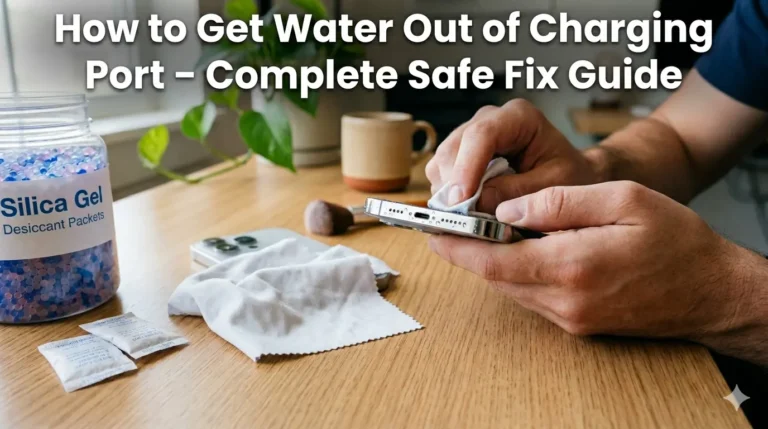
Does Rice Fix a Water Damaged Phone? The Truth

No. Rice is a myth and can actually make things worse.

Rice absorbs surface moisture very slowly but cannot reach water trapped deep inside your phone near the motherboard, battery, and speaker components. The drying process takes far too long to prevent corrosion.

Worse, rice has starch and tiny dust particles that can enter your charging port, SIM tray, and speaker mesh — causing additional blockage and damage.

Use silica gel packets instead. They absorb moisture faster, more deeply, and without leaving any residue inside your phone.
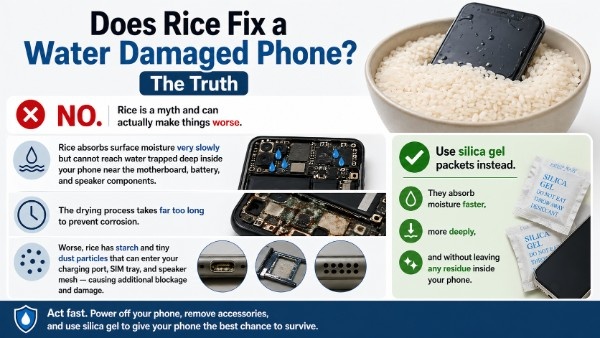
Infographic explaining that rice does not fix a water-damaged phone, showing it absorbs moisture slowly and can cause dust blockage, while recommending silica gel packets as a faster and safer drying solution.

How to Fix Water Damaged iPhone

iPhones from iPhone 7 onwards have IP67 or IP68 water resistance ratings. This means they can survive brief water exposure but are not fully waterproof.

If your iPhone gets wet, follow all the steps above. Additionally:

  • Do not charge your iPhone until the Lightning or USB-C port is completely dry.
  • Apple has a built-in liquid detection alert — if it triggers, wait before charging.
  • Use Fix My Speaker to clear water from iPhone speaker and ear speaker.
  • Apple does not cover water damage under standard warranty even for water resistant iPhones.
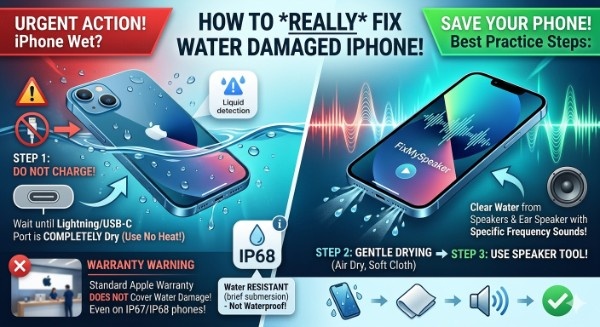
A comprehensive split-screen infographic titled "HOW TO REALLY FIX WATER DAMAGED IPHONE!". The left side (Urgent Action) shows a wet iPhone submerged in water with warning icons: a "No Charging" symbol pointing to the port, an "IP68" rating badge, and a "Liquid Detection" alert. A "Warranty Warning" section at the bottom notes that Apple's standard warranty does not cover liquid damage. The right side (Best Practice Steps) shows an iPhone using a speaker cleaning tool with sound waves ejecting water droplets from the speaker mesh. A bottom flowchart outlines the 3-step process: Air dry with a cloth, use a speaker sound tool, and reach a successful fix. The design uses high-contrast red, green, and blue tones for clarity.

How to Fix Water Damaged Android Phone

Most modern Android phones — Samsung Galaxy, Google Pixel, OnePlus — also have IP67 or IP68 ratings. But water resistance degrades over time with drops and normal wear.
For water damaged Android phones:

  • Remove the SIM card and SD card tray immediately.
  • Samsung Galaxy phones have a built-in speaker water eject feature in some models but it is less powerful than a dedicated tool.
  • Use Fix My Speaker to eject water from Android speaker fast.
  • Do not use third-party chargers on a wet Android phone.
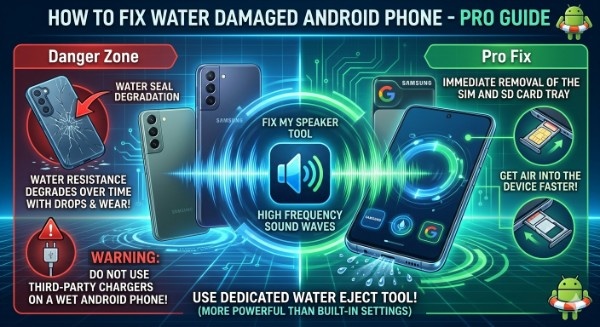
A detailed infographic titled "HOW TO FIX WATER DAMAGED ANDROID PHONE - PRO GUIDE" featuring a split-screen design. On the left "Danger Zone," a cracked Android phone is shown with a red arrow pointing to "Water Seal Degradation," highlighting how resistance fades with wear. A warning icon advises against using third-party chargers on wet devices. The right "Pro Fix" side shows a Google Pixel and Samsung phone with a close-up of a SIM/SD tray being removed to "get air into the device faster." The center features the "Fix My Speaker Tool" emitting high-frequency sound waves that eject water droplets from the bottom speaker grille, noted as being more powerful than built-in phone settings. The style is neon-blue and tech-focused with Android mascot icons in lifebuoys.

How to Fix Water Damaged Phone Speaker?

The speaker is the most commonly damaged part after water exposure. Here is how to fix it fast:

  • Disconnect all Bluetooth devices and earbuds.
  • Set volume to maximum.
  • Point phone speaker downward.
  • Open Fix My Speaker and press play.
  • Let the 165Hz tone run for 1-2 minutes.
  • Repeat 2-3 times.

Most users hear a clear improvement after the first or second run. The tool works on iPhone, Android, AirPods, Bluetooth speakers, and laptops.
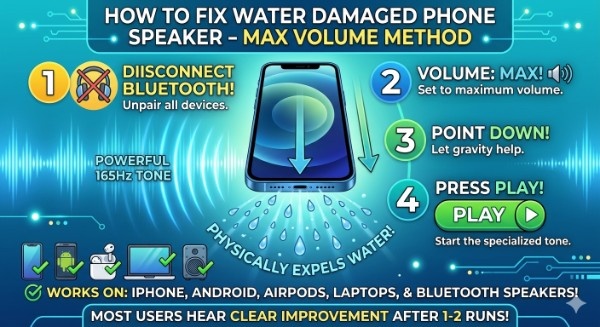
A vibrant instructional infographic titled "HOW TO FIX WATER DAMAGED PHONE SPEAKER - MAX VOLUME METHOD". A central smartphone is positioned vertically, pointing downward, ejecting a cascade of water droplets from the bottom speaker grille. The process is broken into four numbered steps: 1. "DISCONNECT BLUETOOTH!" (crossed-out headphones), 2. "VOLUME: MAX!" (speaker on full), 3. "POINT DOWN!" (gravity arrow), and 4. "PRESS PLAY!" (a large play button). Powerful, blue sound waves labeled "165Hz TONE" are shown physically expelling the water. A bottom row of icons shows that it "WORKS ON: IPHONE, ANDROID, AIRPODS, LAPTOPS & BLUETOOTH SPEAKERS!". The background is a glowing blue and teal digital grid.

How Long Does It Take to Fix a Water Damaged Phone?

The drying time depends on how much water got in and where it reached:

  • Light splash or sweat → 24 hours drying usually enough
  • Brief submersion → 48 hours with silica gel
  • Extended submersion → 48-72 hours, professional help recommended
  • Saltwater damage → Act immediately, professional help needed fast

Saltwater is significantly more damaging than fresh water. It leaves mineral deposits that corrode metal parts even after the water dries completely.
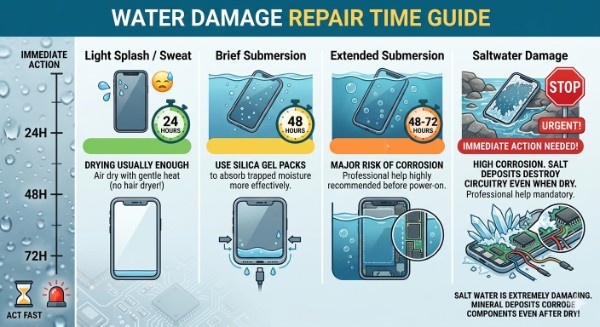
An informational infographic titled "WATER DAMAGE REPAIR TIME GUIDE" detailing recovery steps and durations for various water exposure levels on smartphones. The left side features a vertical timeline ranging from "IMMEDIATE ACTION" and "ACT FAST" (with icons of an hourglass and emergency light) up to "72H".The guide is split into four illustrated categories from left to right:Light Splash / Sweat: A phone with a single droplet. A green clock shows "24 HOURS". Text: "DRYING USUALLY ENOUGH. Air dry with gentle heat (no hair dryer!)". An illustration shows simple air drying.Brief Submersion: A phone submerged with bubbles. A yellow clock shows "48 HOURS". Text: "USE SILICA GEL PACKS to absorb trapped moisture more effectively." An illustration shows a phone next to silica packets and a USB cable.Extended Submersion: A phone deeper underwater. An orange clock shows "48-72 HOURS". Text: "MAJOR RISK OF CORROSION. Professional help highly recommended before power-on." An illustration shows deep water infiltration into a transparent phone case and an open port.Saltwater Damage: A phone in rocky, salt-encrusted tidal water with a red "STOP URGENT!" sign. A large "URGENT!" timer points to "IMMEDIATE ACTION NEEDED!". Text: "HIGH CORROSION. SALT DEPOSITS DESTROY CIRCUITRY EVEN WHEN DRY. Professional help mandatory." An exploded view shows heavy salt crystal growth corroding internal components and circuit boards.

When to See a Professional

Home fixes work for most water damage cases. But seek professional repair if:

  • Phone was submerged for more than 30 minutes
  • Phone dropped in saltwater, soapy water, or drinks
  • Screen is unresponsive or has internal damage
  • Phone does not turn on after 72 hours of drying
  • Visible corrosion around ports or SIM tray

Do not try to open your phone yourself. This voids your warranty and risks causing more damage to delicate internal components.
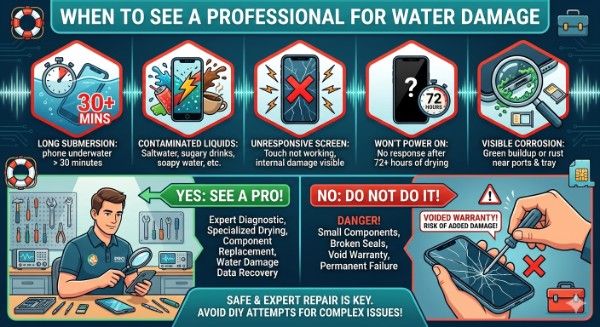
An instructional infographic titled "WHEN TO SEE A PROFESSIONAL FOR WATER DAMAGE" in a teal-blue banner against a dark background with abstract circuit and water drop elements. The top row features five hexagonal warning icons, numbered 1 to 5, with red frames and titles. 1. Long Submersion (stopwatch and phone underwater): 'Phone submerged > 30 mins'. 2. Contaminated Liquids (phone, splashes, soda can, beer mug, coffee): 'Saltwater, soapy water, sugary drinks, etc.'. 3. Unresponsive Screen (phone with a red 'X'): 'Screen not responding or has internal damage'. 4. Won't Turn On (phone with a '?' and a '72H' timer): 'No response after 72 hours of drying'. 5. Visible Corrosion (phone with magnified view of green rust near a port and SIM tray): 'Corrosion around ports or SIM tray'. The bottom section compares. On the left, 'YES: SEEK PROFESSIONAL REPAIR!' in a green banner above a qualified technician in a tidy workshop, listing benefits: 'EXPERT DIAGNOSIS, SAFE COMPONENT DRYING, CLEAN ROOM DATA RECOVERY, WARRANTY PROTECTION'. On the right, 'NO: DO NOT ATTEMPT DIY OPENING!' in a red banner above a person using basic household tools to pry a phone, with a large '!' warning and 'X' symbol, listing risks: 'VOIDS WARRANTY, DAMAGED INTERNAL COMPONENTS, PERMANENT FAILURE, ADDED REPAIR COSTS'. At the very bottom center, a blue banner reads 'TRUST EXPERTS FOR COMPLEX WATER DAMAGE ISSUES'. The entire image uses clean, modern vector illustration. Small decorative icons like a rescue buoy and a toolkit are integrated.

Silica Gel vs Rice for Wet Phone

Method

Effectiveness

Risk

Recommended

Silica Gel

High – absorbs deep moisture fast

None

Yes

Rice

Low – surface moisture only

Dust and starch enter ports

No

Hair Dryer

None – pushes moisture deeper

Melts internal components

Never

Air Drying

Medium – works slowly

Low if phone is off

Acceptable

165Hz Sound Tool

High – ejects water from speaker fast

None

Yes

Frequently Asked Questions

Yes. Turn it off immediately, remove SIM card, use silica gel for 48 hours, and use Fix My Speaker to clear the speaker. This fixes most water damage cases at home for free.

Usually 24-48 hours with proper drying using silica gel. Do not turn the phone on before that. Saltwater or heavy submersion may need 72 hours or professional help.

No. Rice is slow, ineffective for deep moisture, and can leave starch and dust inside your ports. Always use silica gel packets instead.

Yes. Most manufacturers including Apple and Samsung do not cover water damage under standard warranty. Check your phone insurance policy as some plans cover accidental water damage.

Act immediately. Use Fix My Speaker for the speaker right away. Rinse the exterior gently with fresh water to remove salt deposits then dry with silica gel. Seek professional help quickly for saltwater cases.

Check the Liquid Damage Indicator near your SIM tray — it turns pink or red on water contact. Also look for muffled speaker, foggy camera, charging issues, and random shutdowns.

Conclusion

A water damaged phone is not a dead phone — if you act fast. Turn it off, dry the outside, fix the speaker immediately, use silica gel for 48 hours, and stay patient.

The speaker is the easiest part to fix right now. Use Fix My Speaker at fixmyspeakercleaner.net — free, no download needed — and eject that water in minutes.

Then give your phone 48 hours. Most water damaged phones make a full recovery.
Similar Posts