How to Clean Phone Speaker Grill at Home – Fix My Speaker
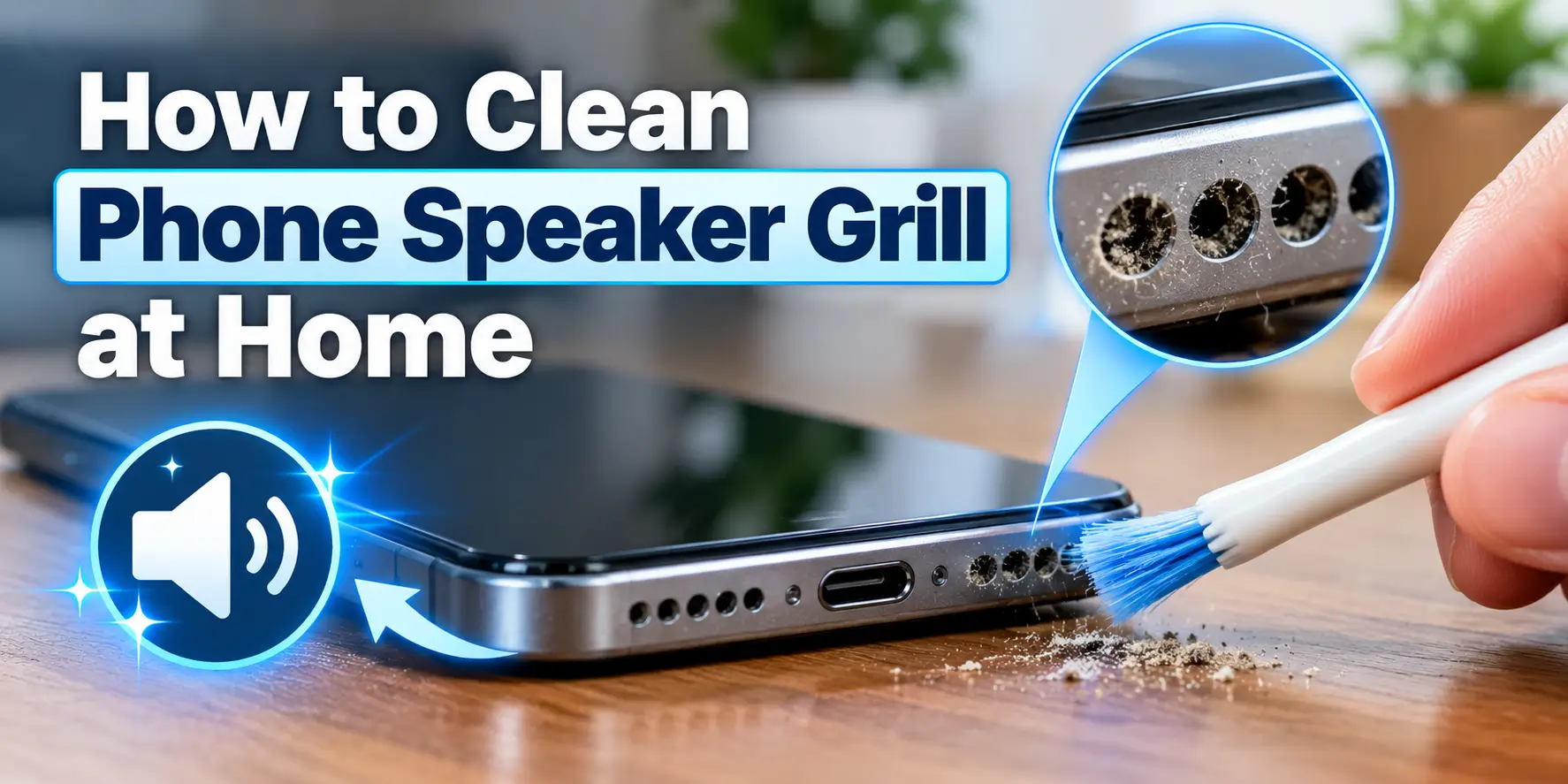
If your phone speaker sounds dull because dust or pocket lint is sitting on the grille, start with a clean, dry, soft brush. Hold the phone with the speaker facing down, sweep the surface gently, and lift leftover surface lint with low-tack painter’s tape if needed. You can then try Fix My Speaker for a short sound-cleaning cycle. These
Want to do the sound step right now? Open Fix My Speaker, our free browser tool, and tap Play. It works on iPhone and Android, with no app to install.
steps may help with loose debris, but they will not repair a torn speaker, corrosion, or other hardware damage.
This guide shows you what to use, how to clean the grille at home, and what to avoid so you do not turn a small maintenance job into an expensive repair.
Why Your Phone Speaker Grill Gets Clogged
Your phone spends the whole day in pockets, bags and dusty hands. Lint, skin oil and fine dust slowly pack into the mesh behind the grill, and the sound turns dull before you notice.
In India this happens faster. Dusty roads, humid monsoon months, hair oil near the earpiece and loose pocket lint all add up quickly.
The good news is that this is slow, dry buildup, and it is easy to remove. If your sound dropped suddenly after a splash, that is water, not dust, and it needs a different fix.
What You Need to Clean a Phone Speaker Grill
Gather your supplies before you begin. You do not need a cleaning liquid, a special machine, or a sharp tool. The aim is to remove dirt sitting on the outside of the grille, not to reach inside the phone.
| Tool | Safety | How to use it |
|---|---|---|
| Clean, soft-bristled brush | Safe when used lightly | Brush across the grille surface with short strokes. |
| Microfiber cloth | Safe | Wipe the phone body and surrounding frame. |
| Low-tack painter’s tape | Use carefully | Touch lightly to visible lint, then lift away. |
| Speaker-cleaning sound tool | Generally low risk at sensible levels, not a repair | Try a short cycle, then test the sound. |
| Cleaning putty | Risky if pressed into holes | Prefer not to use it; residue can lodge in openings. |
| Pin, needle, SIM tool, toothpick | Risky | Do not insert into grille holes. |
| Liquid, alcohol, spray, cotton swab | Risky for the grille | Keep away from speaker openings. |
| High-pressure compressed air or heat | Risky | Avoid blasting air or using a hair dryer. |
How to Clean Phone Speaker Grill at Home: Step by Step
Follow the steps in order. Stop if the grille looks damaged, the phone was recently soaked, or cleaning causes unusual rattling or distortion.
Remove the Phone Case and Power Down if Needed
Take off the case so you can see the speaker openings clearly. If the phone is wet, unusually hot, or behaving strangely after liquid exposure, power it off and follow the manufacturer’s liquid-damage guidance instead of continuing routine cleaning.
Locate the Correct Speaker Grille
Most phones have a bottom speaker and a narrow earpiece grille near the top. Some models use openings that look like speaker holes but serve another purpose. Check your phone’s manual and clean only the actual speaker area.
Hold the Speaker Facing Down
Angle the opening toward the floor over a clean, dry surface. Gravity may help loose dust fall away as you brush. Do not shake the phone hard or strike it against a table.
Brush the Grille With a Soft, Dry Brush
Use a clean, dry, soft-bristled brush. Sweep across the grille with light strokes, moving dust outward. Keep the bristles on the surface. Pressing hard or poking bristles into tiny holes can push debris farther in or damage delicate mesh.
Brush the edges gently too, because lint can collect where the grille meets the phone frame. If the bristles are stiff, dirty, or shedding, do not use that brush.
Lift Remaining Surface Lint With Low-Tack Tape
If visible fibers remain, use a small piece of low-tack painter’s tape. Lightly touch it to the grille surface and peel it straight away. Use a fresh section for another gentle touch rather than rubbing the adhesive back and forth.
Do not use duct tape, packing tape, or strong adhesive labels. Do not force tape into openings. Skip this step if the mesh is loose, torn, or lifting.
Wipe the Phone With a Microfiber Cloth
Use a dry microfiber cloth on the surrounding frame and case. Avoid dragging dirt across the grille. Do not spray cleaner onto the phone or wet the cloth near the speaker opening.
Try Fix My Speaker for Loose Debris
After the visible dust is removed, open Fix My Speaker on the phone you are cleaning. Disconnect Bluetooth audio, set the phone on a stable surface with the relevant speaker facing down if practical, and keep it away from your ear.
Start a short cleaning cycle at a comfortable level and follow the tool’s on-screen instructions. Do not force the volume to maximum just because a page recommends it. Stop if the sound is harsh, rattling, or uncomfortable. Sound vibration may loosen some debris, but results vary and it cannot pull out compacted grime reliably.
Test the Sound Before Repeating
Play familiar speech or music at a normal listening level, then make a short call if the earpiece was the problem. Compare clarity and volume with your earlier test. One short repeat may be reasonable if the sound improved slightly and no warning signs appeared.
If there is no improvement after gentle cleaning and one sound cycle, stop. Repeating the tone again and again is not a substitute for diagnosing the cause.
What to Avoid When Cleaning Your Speaker Grill
any viral hacks cause damage. In my experience, a needle is the number one reason a simple dust problem turns into a speaker replacement, so please do not let anyone poke your grill with one.
- Compressed air cans: Apple advises against them for iPhones, and the pressure can push dust deeper on any phone.
- Liquids and alcohol: moisture mixes with dust and forms a sticky paste.
- Cotton swabs: they leave fibres inside the holes.
- Hairdryers: heat can loosen the adhesives inside the phone.
- Hard scrubbing: it bends the mesh and pushes dirt inward.
If you hear crackling or buzzing after cleaning, stop and read why a phone speaker crackles to find the real cause.
Why Your Phone Speaker May Still Sound Muffled
A dirty grille is only one possible cause. Moisture, a blocked case, incorrect audio routing, accessibility or balance settings, software issues, a damaged speaker, or internal corrosion can create similar symptoms.
Remove the case and check Bluetooth is off. Test more than one audio source and compare the bottom speaker with the earpiece. If sound became muffled immediately after a drop or liquid exposure, do not assume dust is responsible.
A sound-cleaning tool may help with some water at the speaker opening or loose surface debris. It cannot dry the phone’s internals, remove corrosion, reconnect a damaged component, or repair a torn diaphragm. Seek a qualified technician if sound remains distorted, cuts out, or the grille is visibly damaged.
A Simple Monthly Phone Speaker Cleaning Routine
For most people, a light check about once a month is enough. Clean sooner only when you can see lint or notice a change in sound. Frequent aggressive cleaning can do more harm than good.
- Remove the case and inspect the speaker openings in good light.
- Use a dry microfiber cloth on the phone body.
- Brush visible dust from the grille lightly with a soft, dry brush.
- Use low-tack tape only for visible lint that remains on the surface.
- Test calls and media at normal volume.
- Use a brief Fix My Speaker cycle only if you want to try loosening debris, then test again.
- Check that your case has clear speaker cutouts and keep the phone away from dusty pockets or work surfaces when possible.
When Cleaning Will Not Fix the Problem
I want to be honest with you. A brush and a cleaning sound cannot repair hardware damage. A torn mesh, a cracked diaphragm or a burnt speaker needs a technician.
Warning signs are no sound at all, constant rattling, or a speaker that stays dull after three rounds. In that case the issue is deeper, and my guide on why a speaker sounds muffled lists the next checks.
If your phone is under warranty, take it to the brand service centre. Do not open it yourself.
FAQ’s