How to Fix a Wet Bluetooth Speaker (JBL, boAt, Boult)
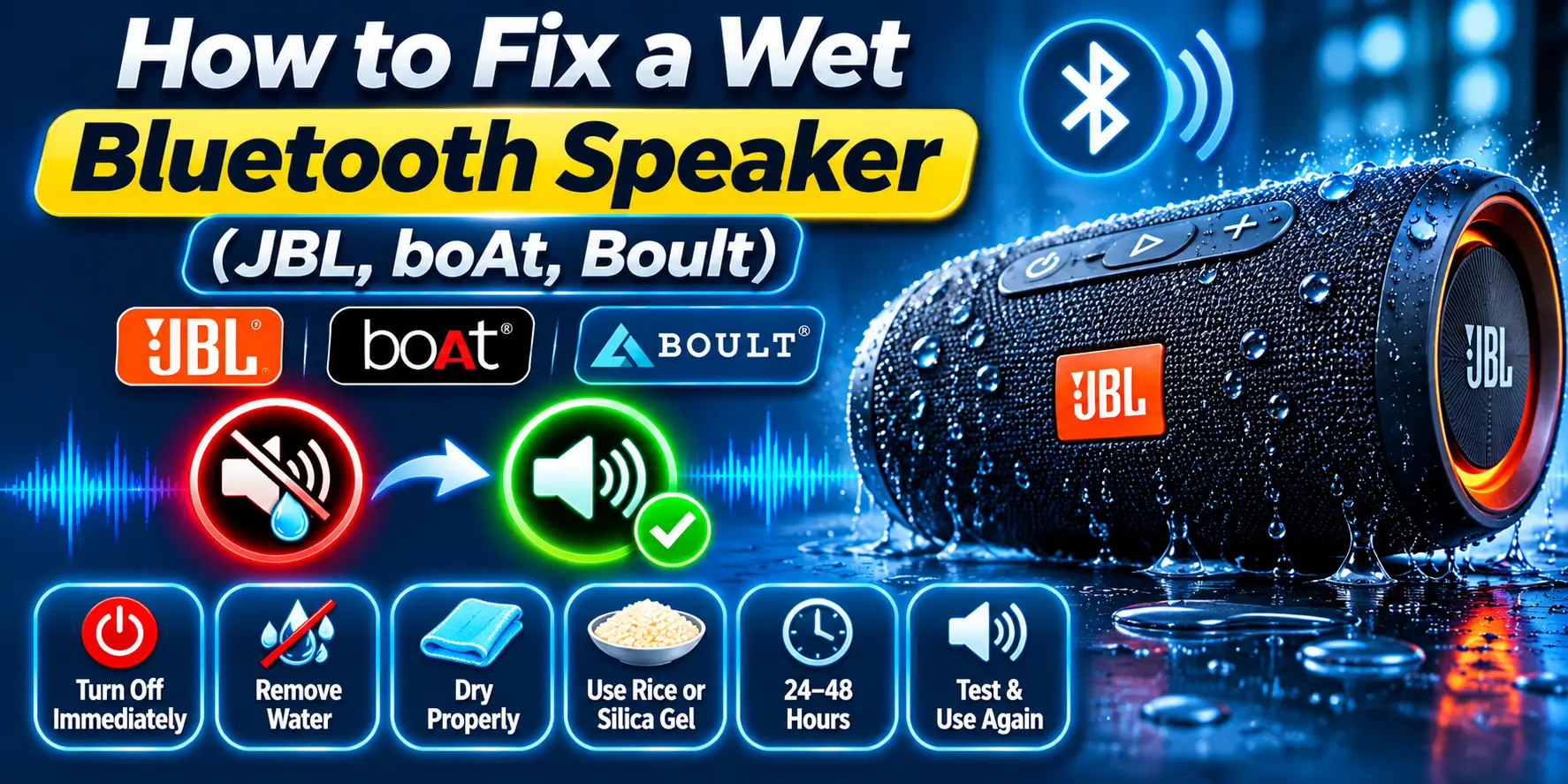
Switch the speaker off, unplug every cable, drain the water and let it dry before you charge it. Then play a low tone through it to shake water off the grille and bass radiator. That clears most muffled sound.
Once it is dry, pair it with your phone and play that tone with our free Fix My Speaker tool. I have repaired wet Bluetooth speakers for years, and I will tell you honestly when the tool will not help.
The usual cases are a speaker left on a balcony in a monsoon shower, a JBL dropped in a pool, or a boAt forgotten in a steamy bathroom. All of them need the same careful start.
What to do in the first minute
Do these in order. Do not test the speaker yet, because powering on a wet speaker can turn a small problem into a dead one.
- Take the speaker out of the water or off the wet surface.
- Switch it off with the power button (hold it for a couple of seconds if your manual says so).
- Unplug the charging cable, AUX cable, TF card and USB drive.
- Open the port cover if there is one.
- Tilt the grille down, shake gently and wipe the outside with a soft cloth.
Wet Bluetooth speaker symptoms: cause and fix
Match what you hear to the cause. For deeper help with dull sound, read why a speaker sounds muffled.
| Symptom | Likely cause | What to do |
|---|---|---|
| Muffled | Water on the grille and passive radiator (the rubber bass panel) | Drain, dry, then play the tone |
| Crackling | Water on the driver or a damp board | Dry for 24 hours; repair if it stays |
| No power | Battery protection tripped, or a short | Dry 24 to 48 hours; repair if still dead |
| Won’t charge | Wet or corroded port | Dry the port; never force the cable |
| Low volume | Water in the grille, or a damaged driver | Dry, play the tone, check phone volume |
How water hurts a Bluetooth speaker, and what IPX means
Sound comes from a moving cone and a passive radiator. Water adds weight, so they move less and the sound turns dull. Water in the charging port is worse, because it can short the pins and corrode them.
IPX4 means splashes. IPX5 and IPX6 mean water jets, like rain, but not a dunk. IPX7 means 30 minutes in fresh water up to 1 metre. IP68 goes deeper, as the maker decides. Every test uses fresh water only.
- JBL: Go 4, Clip 5, Flip 6 and Charge 5 are IP67. Flip 7 and Charge 6 are IP68.
- boAt: Stone 352 is IPX7, Stone Grenade is IPX6 and Stone 650 is IPX5.
- Boult: the Bassbox Q10 is IPX5.
- Aavante soundbars such as the Bar 610 are not water resistant.
Fix 1: Drain the water and dry the speaker and ports
A speaker caught in monsoon rain usually holds water in the fabric grille, not the electronics. Many others play fine after a splash, then die on the first charge because the port was still damp.
- Hold the grille facing down and tilt the speaker slowly side to side.
- Turn each end down so water drains from the passive radiators.
- Press a dry microfibre cloth on the grille to soak up water.
- Leave the port cover open, or keep a sealed USB-C port facing down.
- Dab water at the port edge with a dry cloth. Never push anything inside.
- Stand the speaker in a shaded, airy spot.
Ports differ by brand. JBL Go 4, Clip 5 and Flip 6 use USB-C, while budget models like the JBL Go Essential use Micro USB. The boAt Stone 352 and Boult Bassbox Q10 also have AUX and TF card slots that trap water. For more on this, see how to get water out of a charging port.
Fix 2: Wait the right time before powering on or charging
Patience is the best repair tool. These are my bench guidelines, not maker rules. Keep the speaker away from heaters and direct sun.
| Situation | Before power on | Before charging |
|---|---|---|
| Light splash or sweat | 2 hours | 4 hours |
| Monsoon rain | 8 hours | 12 to 24 hours |
| Pool or bucket dunk | 24 hours | 24 to 48 hours |
| Steamy bathroom | 6 hours | 12 hours |
| Salt water or sticky drink | 24 hours after a rinse | 48 hours |
Fix 3: Power on, pair and test
- Press the power button. If nothing happens, do not charge yet. Wait 12 more hours.
- Enter pairing mode, with the Bluetooth light blinking. JBL models have a Bluetooth button, and many boAt and Boult speakers pair when switched on, so check your manual.
- Connect to your phone and play a song at about 30% volume.
- Listen for crackling, a dead side or weak bass.
- On stereo models, run our stereo sound test to check left and right.
- If the sound is only dull, go to Fix 4. If it crackles badly or will not charge, go to the repair section.
Resets differ by brand. JBL lists steps in its reset guide, and on the Boult Bassbox X20 you hold the power button for 10 seconds.
Fix 4: Use Fix My Speaker with your Bluetooth speaker
Fix My Speaker is a web page that plays cleaning tones on your phone. Your phone sends that sound to the speaker over Bluetooth. The tone moves the cone and radiator, which can flick water off the grille.
- Pair the dry speaker with your phone and keep it connected. The tool’s phone steps say to disconnect Bluetooth, but for a Bluetooth speaker you do the opposite.
- Open Fix My Speaker on your phone. You need internet.
- Set the speaker to about half volume and point the grille down.
- Pick Sound mode and press play. Wipe the drops, then repeat once or twice.
- Stop if you hear rattling or harsh distortion.
- Play a normal song to check the result.
Deep Clean adds vibration, but that only shakes your phone, so Sound mode is the useful one. Bluetooth adds a small delay, so the progress bar may run slightly ahead. Drying does most of the work. The tone is a helper.
When Fix My Speaker will not work
The tool only plays sound. It needs a speaker that is switched on and paired with your phone, so it cannot help one that will not turn on. It cannot repair corrosion, a shorted circuit or a damaged battery.
- No power or lights after a full day of drying
- Crackling or a dead side after 24 hours
- Green or white crust in the port
- Heat, a burning smell or a swollen case (stop using it at once)
- The speaker keeps switching itself off
More tone will not fix these, and it can strain a damaged driver. Keep it unplugged and move to repair.
Safe-use warnings
- Do not charge a wet speaker. Water and charging current can short the battery circuit.
- Do not use a hair dryer or oven. Heat warps seals and damages the battery.
- Do not blow into the grille or ports. Your breath adds moisture.
- Do not push pins, needles or toothpicks into ports. They bend contacts and push water deeper.
- Do not bury it in rice. Rice does not pull water from inside, and dust can enter the ports.
- Keep the volume moderate while testing. A water-loaded driver can distort or tear.
Saltwater and pool water
Fresh water leaves nothing behind. Beach salt, pool chlorine, Holi colour water and sugary drinks leave residue that corrodes contacts and clogs the grille.
If your speaker is IPX7, IP67 or IP68, shut the port cover and rinse the outside under gentle tap water for about 30 seconds, then dry it as above. JBL’s care advice says the same. For IPX4 and IPX5 models, wipe with a damp cloth instead.
Warranty, service and repair cost in India
Water damage is often not covered. JBL India’s warranty excludes liquid damage caused by negligence, and JBL can decline paid repair for water ingress. boAt and Boult cover defects only, and boAt excludes damage from misuse.
| Repair | Typical cost | Note |
|---|---|---|
| JBL authorised labour, portable speaker | ₹500 plus GST and parts | JBL India’s published rate, also charged for inspection |
| Cleaning and testing | ₹200 to ₹500 | Local shop estimate |
| Charging port | ₹400 to ₹1,200 | Local shop estimate |
| Battery | ₹600 to ₹2,000 | Local shop estimate |
| Driver or radiator | ₹500 to ₹1,500 | Local shop estimate |
| Corroded board | ₹1,000 to ₹3,000 | Often not worth it |
A boAt Stone 352 or Boult Bassbox Q10 costs about ₹1,100 to ₹1,800 new, so skip repairs above ₹800. A JBL Flip 6 or Charge 5 costs roughly ₹9,000 to ₹14,000, so repair usually makes sense.
Simple habits to avoid this again
Most wet speakers I see were avoidable. These habits matter most in monsoon, pool season and humid cities.
- Close the port cover fully before rain, pool or beach use.
- Rinse rated speakers with fresh water after salt, chlorine or Holi colours.
- Keep speakers away from the shower, because steam condenses inside.
- Never leave one outside overnight in monsoon, even if it is rated.
- Leave the cover open for an hour after any exposure.
Frequently asked questions
Final thoughts
A wet Bluetooth speaker is often fixable if you switch it off, drain it and dry it before charging. Then Fix My Speaker can help clear water from the grille and radiator.
If it still crackles, will not charge or will not turn on after a day or two, stop and get it checked. Do not keep charging it.