How to Remove Water From AirPods and Earbuds?
Water in your earbuds is an emergency, but most pairs survive if you act fast. Take them out, do not charge them, and wipe the outside with a dry lint-free cloth. Tap each bud on the cloth with the mesh facing down, then air dry for 24 hours.
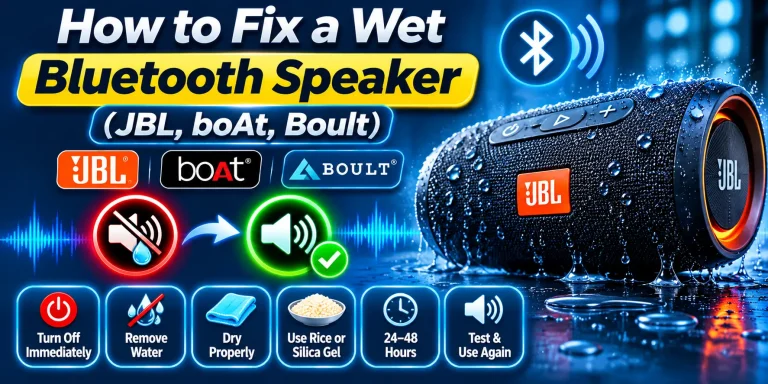
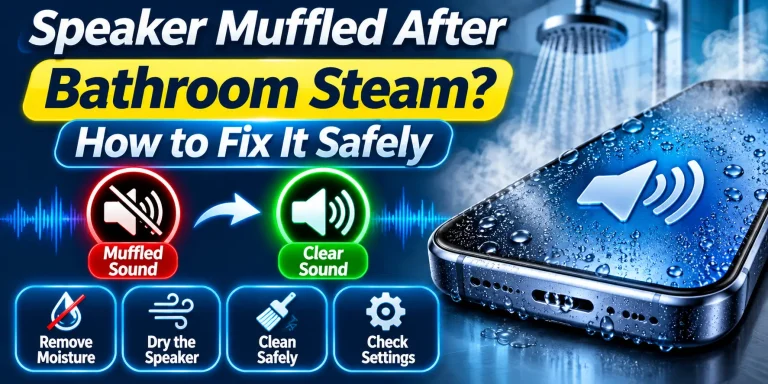
Once the surface is dry, run a short session with the free Fix My Speaker tool to push trapped water out of the mesh. Try Fix My Speaker now and clear the grille in a few short sessions. If the driver or battery is damaged, no tool can fix it, and I will show you how to tell.
What to Do in the First Minute
The first 60 seconds matter most. Water inside a powered bud can short the circuit, so move quickly and stay gentle.
- Pause the music and take both earbuds out of your ears.
- Do not put them in the charging case and do not plug in any charger.
- Wipe the outside with a soft, dry, lint-free cloth. A clean cotton handkerchief also works.
- Hold each bud with the speaker mesh facing down and tap it gently against the cloth in your palm.
- Pull off the silicone ear tips and wipe the tips and the nozzle separately.
- Rest the buds mesh side down on a dry cloth in a shaded, airy spot.
What Not to Do With Wet Earbuds
A hair dryer, heater, oven, microwave, or direct hot sunlight can damage batteries, adhesives, seals, and acoustic parts. Use room-temperature airflow instead.
Rice is unreliable and can leave dust or particles behind. Compressed air can force liquid deeper into the device or damage delicate components. Do not insert pins, cotton swabs, tissues, or other objects into the sound mesh or charging contacts.
Avoid charging, pairing attempts, or test tones until dry. After submersion, machine washing, or soapy or salty water exposure, seek service advice.
How to Remove Water From AirPods
Apple’s advice is simple. Wipe them with a soft, dry, lint-free cloth and let them dry completely before you use them or charge them.
Check your model first. AirPods 1, 2 and Max have no water rating. AirPods 3 and AirPods Pro (1st gen) are IPX4, and AirPods 4 and Pro 2 are IP54. That covers sweat and splashes, not washing machines.
On AirPods Pro, remove the ear tips and tap the bud with the tip opening facing down. Wipe the nozzle, then let every part dry before you refit the tips.
How to Remove Water From TWS Earbuds
Budget TWS earbuds from brands like boAt, Noise, realme and OnePlus often carry IPX4 to IPX5, and some have no rating at all. Check the box or the brand website before you trust them in the rain.
- Remove them from your ears and leave them out of the case.
- Do not press the touch controls or hold buttons to power them on.
- Wipe the stems and the small charging pins with a dry cloth.
- Remove the ear tips, tap the buds mesh down, and wipe the nozzle.
- Air dry in a shaded spot for 24 hours before any test.
Wet charging pins corrode first, so keep them dry. Once fully dry, a dry cotton swab on the outer mesh is fine.
How to Remove Water From Wired Earbuds
Wired earbuds are the easiest to save. With no battery inside, the risk is much lower, but you still need patience.
- Unplug them from your phone or laptop right away.
- Wipe the cable, the remote and the plug with a dry cloth.
- Remove the ear tips and tap each bud mesh down on a cloth.
- Air dry for 12 to 24 hours with the plug pointing down.
- Make sure the 3.5 mm or USB-C plug is dry, then test at low volume.
If the mesh looks crusty from sweat, brush it softly once dry. My full routine is in this guide on how to clean earbuds safely.
Does the Water Eject Sound Method Work on Earbuds?
Apple Watch has a built-in Water Lock that plays tones to push water out. AirPods and iPhone have no such button, and any claim of a hidden Siri command is false.
A low-frequency tone can still shake water out of an earbud mesh. It helps only with water near the grille, so use it after wiping, never instead of it. It cannot dry the inside or repair a damaged driver.
- Wipe and tap the buds first. If you see a lot of water inside, dry them longer and skip this method.
- Keep the buds out of your ears for the whole session.
- Open the Fix My Speaker tool on your phone and connect the earbuds.
- Set the volume to about 50 to 60 percent, not maximum.
- Hold one bud mesh down over a cloth and run the tone for 15 to 30 seconds.
- Wipe the droplets, rest for a minute, and repeat up to three times per bud.
- Stop at once if the sound distorts or the bud feels warm.
If your phone also got wet, see my guide on removing water from an iPhone speaker.
How Long Do Earbuds Take to Dry?
The drying time depends on how much water your earbuds were exposed to. Light sweat or a small splash may require 2 to 4 hours of drying, while rain or a washing accident may require at least 24 hours. If your earbuds were fully dunked in water, allow at least 48 hours or longer, and consider contacting the manufacturer for advice. These are general guidelines, not guaranteed recovery times. Do not charge or use your earbuds until they are completely dry.
In humid monsoon weather, seal the buds in a box with silica gel packets from shoe boxes or medicine bottles. Keep them away from heaters, direct sun and car dashboards.
Charging Case Rules
Remove the buds. Wipe the case with a dry, lint-free cloth and leave it open in a cool, ventilated place. Do not insert wet earbuds or connect wired or wireless charging.
Keep swabs and metal tools out of charging wells and ports. Charge only when the case and contacts are completely dry. Get manufacturer guidance if sugary drink, salt water, or detergent entered, as residue may remain.
Signs Your Earbuds Need Replacing
Stop testing and seek service if you notice any of these warning signs:
- One side stays silent or much quieter after full drying.
- Crackling, distortion, buzzing, or sound that cuts in and out.
- The microphone, touch controls, or sensors stop working.
- The bud or case will not charge, heats unusually, or shows corrosion.
- A swollen casing, unusual odor, smoke, or visible physical damage.
Do not charge a device that is hot, swollen, smoking, or giving off a chemical smell. Move away from it and follo